Waiting for an online order or expecting an important delivery? The AusPost app makes it easier to keep track of your parcels without repeatedly checking emails or entering tracking numbers. Developed by Australia Post, this free mobile app brings parcel tracking, delivery notifications and convenient collection options together in one place. You can download the Australia Post app on your smartphone, set up a free MyPost account and manage eligible deliveries while you’re on the go.
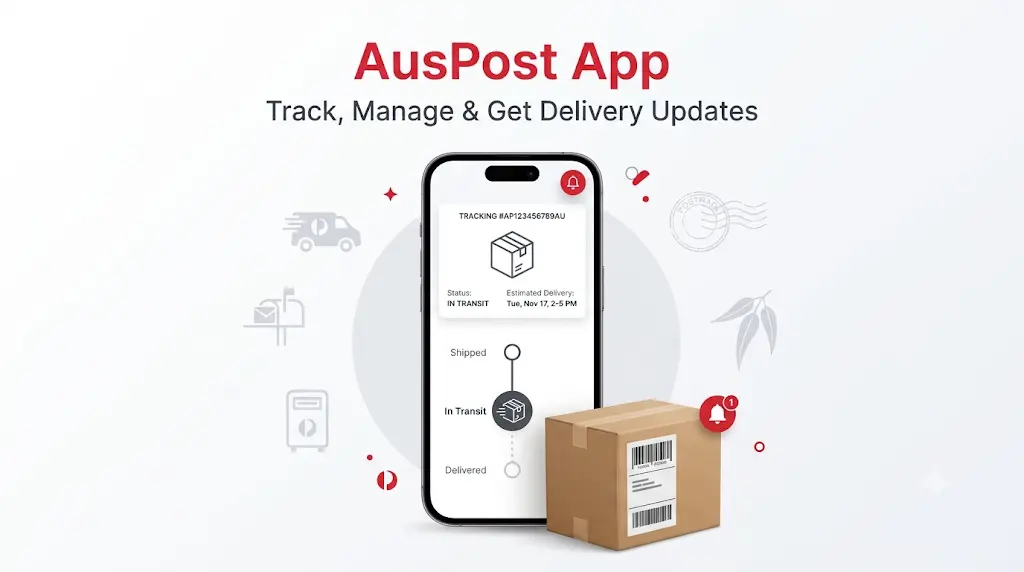
Whether you want to check an AusPost tracking update, see when a parcel is expected to arrive or change an eligible delivery preference, the app provides several useful tools. It is available for Android and iPhone, and getting started is straightforward.
Download the Official AusPost App
You can install the official Australia Post mobile app from your device’s app store. Always check that the developer is Australia Post before downloading, so you don’t accidentally install an unrelated parcel tracking application.
App name: Australia Post
Developer: Australia Post
Download cost: Free
Available on: Android and iOS
Account: Free MyPost account required to get started with the app.
Download for Android
Android users can get the AusPost app for Android through Google Play. Open the app listing, check the developer name and tap Install. Once the download finishes, open the application and follow the setup instructions.
Download AusPost App on Google Play
Download for iPhone
If you use an iPhone or iPad, visit the Apple App Store and search for Australia Post. Check that the developer is Australia Post before selecting Get to install it.
Download Australia Post App on the App Store
How to Set Up the Australia Post App
After installing the application, you’ll need to connect it to your MyPost account to access its personalised parcel management features.
Follow these steps to get started:
- Open the app: Find the Australia Post icon on your phone and launch it.
- Sign in or create an account: Use your existing MyPost details or follow the registration process to create a free account.
- Enter your details: Provide the requested account information and complete any verification steps.
- Allow notifications: Enable notifications if you want to receive parcel and delivery updates on your phone.
- Check your tracking list: Eligible parcels may appear automatically when Australia Post can match the sender’s information with your registered account details.
Once setup is complete, you can use the app to view eligible deliveries and manage available delivery options.
How to Track a Parcel Using the AusPost App
One of the main reasons people download the AusPost tracking app is to check their deliveries without repeatedly searching through emails or saving separate tracking references.
Here’s how to use it:
- Open the Australia Post app and sign in to your MyPost account.
- Go to the tracking or parcel list.
- Select the parcel you want to check.
- Review the latest available tracking event and estimated delivery information.
- Open the parcel details to see additional updates or available delivery options.
Does the AusPost App Automatically Track Parcels?
Yes, eligible parcels can appear automatically in your app when Australia Post has enough information to match the shipment with your MyPost account.
For example, the sender may provide your registered email address or mobile number when preparing the shipment. Australia Post can use matching information to connect the delivery to your account.
This means you may not need to enter a tracking number every time you order something online. However, automatic matching is not guaranteed for every parcel. If a delivery doesn’t appear, check the dispatch email or ask the sender for its tracking number.
Key Features of the Australia Post App
The AusPost mobile app offers more than basic parcel tracking. It includes several features designed to make receiving and collecting deliveries easier.
1. Automatic Parcel Tracking
Eligible incoming deliveries can appear in your parcel list without manually entering their tracking numbers. This is particularly helpful if you regularly shop online and have orders arriving from different retailers.
2. Parcel Tracking Notifications
You can receive notifications about important delivery events, helping you stay informed without constantly opening the app. These alerts can include parcel progress and delivery-related updates.
3. Estimated Delivery Dates and Time Windows
For eligible deliveries, the app can show an estimated arrival date. You may also receive a two-hour delivery window when available, giving you a better idea of when to expect the driver.
Keep in mind that delivery estimates can change, and a time window isn’t available for every parcel.
4. Proof of Delivery Photos
When available, the app lets you view a photograph showing where your parcel was left. This can be useful if you’re not home when the delivery arrives or want to confirm its drop-off location.
Some eligible attempted deliveries may also have a photo available.
5. Redirect a Parcel While It’s in Transit
Plans changed after placing an order? For eligible shipments, you may be able to request a different delivery destination while the parcel is still in transit.
Available options can include a Post Office, Parcel Locker or another eligible address. This feature has conditions, and some parcels cannot be redirected.
6. Safe Drop Delivery Preferences
For eligible parcels, you can request that the delivery driver leave the item in a suitable safe place if nobody is available to receive it.
The final decision depends on whether the delivery location is considered safe and whether the parcel qualifies for this option.
7. Collection QR Code
If a parcel is waiting at a Post Office for collection, the app may provide a collection QR code. You can present it when collecting an eligible missed delivery instead of relying only on a physical collection card.
8. Let Someone Else Collect Your Parcel
Can’t visit the Post Office yourself? The app includes a collection authority option that allows you to authorise another person to collect an eligible parcel on your behalf.
9. Parcel Locker Access
The app also supports Parcel Locker collection. For eligible deliveries, you can use the app’s QR code to access a locker and collect your parcel at a convenient time.
What If Your Parcel Is Not Showing in the AusPost App?
It can be confusing when you know an order has been dispatched but cannot see it in your parcel list. However, this doesn’t necessarily mean something is wrong with the delivery.
Here are some things to check:
- Check your account details: Make sure you’re signed in using the MyPost account associated with your delivery details.
- Confirm the sender’s information: Automatic tracking depends on the information supplied when the parcel is prepared.
- Look for the dispatch email: The retailer or sender may have provided a separate tracking number.
- Check the tracking number manually: Use the official Australia Post tracking website to look up the shipment.
- Update the application: An older version may not provide the latest app experience.
- Check your internet connection: A weak connection can prevent the app from loading parcel information properly.
If the parcel still doesn’t appear, contact the sender to confirm that it has been lodged and that the correct recipient details were supplied.
AusPost App Not Working? Try These Fixes
If the Australia Post app is freezing, failing to load or not displaying new parcel updates, try these basic troubleshooting steps.
| Problem | What you can try |
|---|---|
| App won’t open | Close and reopen the application. |
| Tracking isn’t loading | Check your internet connection and try again. |
| Notifications aren’t arriving | Check notification permissions in your phone settings. |
| Login isn’t working | Verify your account details and reset your password if necessary. |
| Parcel isn’t appearing | Check the sender’s tracking number and account matching details. |
| App keeps crashing | Update the app and restart your device. |
If the problem continues, use Australia Post’s official website or contact its customer support team for assistance.
AusPost App vs Australia Post Website: What’s the Difference?
Both options let you check parcel information, but they serve slightly different needs. The website is convenient for a quick tracking lookup, while the app is more useful when you want to manage multiple eligible deliveries.
| Feature | Australia Post Website | AusPost App |
|---|---|---|
| Track using a tracking number | Yes | Yes, where supported |
| Track without logging in | Yes | Personalised tracking uses MyPost |
| Automatic parcel matching | With MyPost | Yes, for eligible parcels |
| Delivery notifications | Available tracking notification options | App notifications |
| Estimated delivery information | Yes, where available | Yes, where available |
| Proof of delivery photos | Available for eligible tracking | Available for eligible parcels |
| Delivery preferences | Available for eligible parcels | Available for eligible parcels |
| Collection QR code | Not the same app-based experience | Yes, for eligible collections |
If you only need to check one parcel, the website may be enough. If you regularly receive deliveries, the app can make it easier to keep everything organised.
Frequently Asked Questions About the AusPost App
Is the AusPost app free to download?
Yes. The official Australia Post app is free to download from Google Play and the Apple App Store. Creating a free MyPost account allows you to access personalised parcel tracking and delivery management features.
Do I need a MyPost account to use the AusPost app?
Yes, you need to sign in or create a free MyPost account to get started with the app’s personalised tracking experience. However, you can also track an eligible parcel through the Australia Post website without logging in by using its tracking number.
Can I track parcels without entering a tracking number in the app?
Yes, eligible deliveries can appear automatically when Australia Post has enough information to match them with your MyPost account. This usually depends on the sender providing matching details, such as your registered email address or mobile number.
Is the Australia Post app available on Android and iPhone?
Yes. You can download the official app on compatible Android and Apple devices. Use Google Play for Android or the Apple App Store for iPhone and iPad.
Can I change my delivery address using the AusPost app?
For eligible parcels, you may be able to request a redirection while the item is in transit. Availability depends on the parcel’s service, sender settings, original delivery address and current delivery stage.
Can I receive delivery notifications through the AusPost app?
Yes. The app supports parcel notifications, including important tracking updates and delivery information. You can manage notification preferences through the app and your device settings.
Can I use the AusPost app to collect a missed parcel?
Yes, eligible missed deliveries can have a collection QR code in the app. Present the code at the nominated Post Office when collecting your parcel. Collection requirements may vary depending on the item.
Why is my Australia Post parcel not updating in the app?
Tracking information may not change immediately because updates depend on recorded parcel scans and information becoming available. Check the tracking number on the official website and allow time for new events to appear.
Is the AusPost app the official Australia Post application?
Yes. The official app is published by Australia Post. To avoid downloading an imitation, check the developer name on Google Play or the Apple App Store before installing it.
Start Tracking Your Australia Post Parcel
The AusPost app is a useful option if you regularly receive online orders and want delivery updates in one place. You can check eligible parcels, receive notifications, review delivery information and manage available collection options from your phone.
If you only need a quick parcel lookup, you can also use our Australia Post tracking without creating an account. Enter your tracking number and check the latest available tracking information.